MarkerState
MarkerState is a state class for managing marker position, appearance, and interaction settings. It provides Compose-style reactive updates and efficient diff detection.
Constructor
MarkerState( position: GeoPointInterface, id: String? = null, extra: Serializable? = null, icon: MarkerIconInterface? = null, animation: MarkerAnimation? = null, clickable: Boolean = true, draggable: Boolean = false, onClick: OnMarkerEventHandler? = null, onDragStart: OnMarkerEventHandler? = null, onDrag: OnMarkerEventHandler? = null, onDragEnd: OnMarkerEventHandler? = null, onAnimateStart: OnMarkerEventHandler? = null, onAnimateEnd: OnMarkerEventHandler? = null,)MarkerState accepts onClick / onDragStart / onDrag / onDragEnd / onAnimateStart / onAnimateEnd in its constructor so each state can handle its own events.
Properties
Core Properties
id: String: Unique ID for the marker (auto-generated if not provided)position: GeoPointInterface: Current marker positionextra: Serializable?: Additional data attached to the marker
Visual Properties
icon: MarkerIconInterface?: Marker icon (uses the default icon if not specified)clickable: Boolean: Whether the marker responds to click eventsdraggable: Boolean: Whether the user can drag the marker
Interaction Properties
onClick: (MarkerState) -> Unit: Called when the marker is clickedonDragStart: (MarkerState) -> Unit: Called when dragging startsonDrag: (MarkerState) -> Unit: Called continuously during draggingonDragEnd: (MarkerState) -> Unit: Called when dragging endsonAnimateStart: (MarkerState) -> Unit: Called when animation startsonAnimateEnd: (MarkerState) -> Unit: Called when animation ends
Key Methods
fun setAnimation(animation: MarkerAnimation?)
fun copy(    id: String? = this.id,    position: GeoPointInterface = this.position,    extra: Serializable? = this.extra,    icon: MarkerIconInterface? = this.icon,    clickable: Boolean? = this.clickable,    draggable: Boolean? = this.draggable,    onClick: OnMarkerEventHandler? = this.onClick,    onDragStart: OnMarkerEventHandler? = this.onDragStart,    onDrag: OnMarkerEventHandler? = this.onDrag,    onDragEnd: OnMarkerEventHandler? = this.onDragEnd,    onAnimateStart: OnMarkerEventHandler? = this.onAnimateStart,    onAnimateEnd: OnMarkerEventHandler? = this.onAnimateEnd): MarkerState
fun asFlow(): Flow<MarkerFingerPrint>
fun fingerPrint(): MarkerFingerPrint
You can create a new MarkerState by changing only some properties, and generate a fingerprint (snapshot) for diff detection.
Usage Examples
Basic MarkerState
val markerState = MarkerState(    position = GeoPoint.fromLatLong(37.7749, -122.4194),    extra = "San Francisco marker")
MapView(state = mapViewState) {    Marker(markerState)}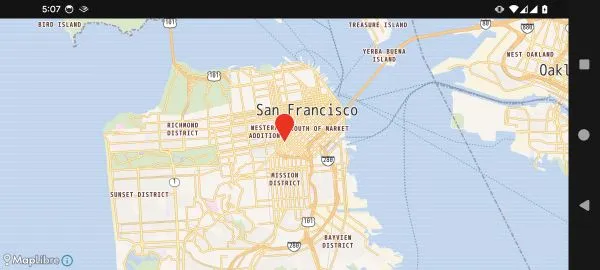
Customized MarkerState
val customMarkerState = MarkerState(    position = GeoPoint.fromLatLong(37.7749, -122.4194),    icon = ColorDefaultIcon(        fillColor = Color.Blue,        label = "SF",        scale = 1.2f    ),    clickable = true,    draggable = true,    extra = "Draggable San Francisco marker",    onClick = { markerState ->        println("Clicked marker: ${markerState.extra}")        markerState.animate(MarkerAnimation.Bounce)    },    onDrag = { markerState ->        println("Marker dragged to: ${markerState.position}")    })
MapView(    state = mapViewState) {    Marker(customMarkerState)}
Log output
Marker dragged to: GeoPoint(latitude=37.781026576871554, longitude=-122.41839353250903, altitude=0.0)Marker dragged to: GeoPoint(latitude=37.78035405874677, longitude=-122.41897685009974, altitude=0.0)...Clicked marker: Draggable San Francisco markerUpdate MarkerState Dynamically
@Composablefun DynamicMarkerExample() {    val colors = listOf(        Color.Red,        Color.Blue,        Color.Yellow,        Color.Green,        Color.Cyan,        Color.Magenta,        Color.White,    )    var markerState by remember {        mutableStateOf(            MarkerState(                position = GeoPoint.fromLatLong(37.7749, -122.4194),                icon = ColorDefaultIcon(fillColor = Color.Red, label = "0"),                extra = "Counter: 0"            )        )    }
    var counter by remember { mutableStateOf(0) }
    Column {        Button(            onClick = {                counter++                markerState = markerState.copy(                    icon = ColorDefaultIcon(                        fillColor = colors[counter % colors.size],                        label = counter.toString()                    ),                    extra = "Counter: $counter"                )            }        ) {            Text("Update marker ($counter)")        }
        MapView(state = mapViewState) {            Marker(markerState)        }    }}
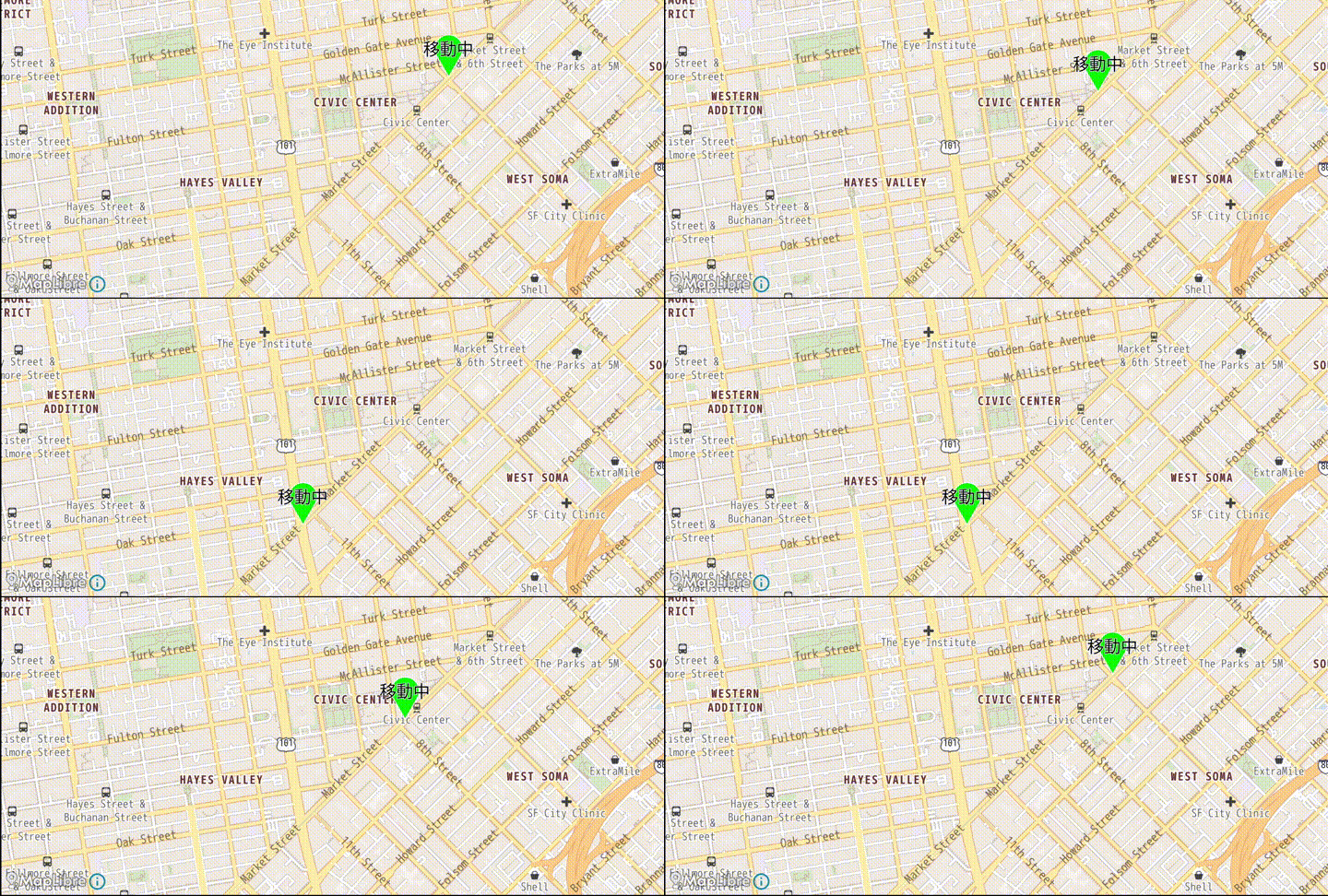
MarkerState with Position Animation
@Composablefun AnimatedMarkerExample() {    val startPosition = GeoPoint.fromLatLong(37.775111, -122.419206)    val endPosition = GeoPoint.fromLatLong(37.780522, -122.412522)
    var markerState by remember {        mutableStateOf(            MarkerState(                position = startPosition,                icon = ColorDefaultIcon(fillColor = Color.Green, label = "Moving"),                extra = "Animated marker"            )        )    }
    LaunchedEffect(Unit) {        val path = (0 .. 10)            .map { it * 0.1 }            .map {                Spherical.interpolate(                    from = startPosition,                    to = endPosition,                    fraction = it,                )            }
        var direction = 1;        var idx = 0        while (true) {            delay(1000)            for (i in 0..path.size - 2) {                idx += direction                markerState.position = path[idx]                println("$idx : ${GeoPoint.from(path[idx]).toUrlValue()}")                delay(50)            }            direction = direction * -1        }    }    val mapViewState =        rememberMapLibreMapViewState(            cameraPosition = MapCameraPosition(                position = GeoPoint.fromLatLong(37.7791, -122.4144),                zoom = 15.0,            ),            mapDesign = MapLibreDesign.OsmBrightEn,        )
    MapView(state = mapViewState) {        Marker(markerState)    }}