MarkerState
MarkerState es una clase de estado para gestionar la posición, apariencia y configuración de interacción de los marcadores. Ofrece actualizaciones reactivas compatibles con Compose y un mecanismo eficiente de detección de diferencias.
Constructor
MarkerState( position: GeoPointInterface, id: String? = null, extra: Serializable? = null, icon: MarkerIconInterface? = null, animation: MarkerAnimation? = null, clickable: Boolean = true, draggable: Boolean = false, onClick: OnMarkerEventHandler? = null, onDragStart: OnMarkerEventHandler? = null, onDrag: OnMarkerEventHandler? = null, onDragEnd: OnMarkerEventHandler? = null, onAnimateStart: OnMarkerEventHandler? = null, onAnimateEnd: OnMarkerEventHandler? = null,)MarkerState recibe onClick / onDragStart / onDrag / onDragEnd / onAnimateStart / onAnimateEnd en el constructor para que cada estado gestione sus propios eventos.
Propiedades
Propiedades básicas
id: String: ID único del marcador (se genera automáticamente si no se proporciona)position: GeoPointInterface: Posición actual del marcadorextra: Serializable?: Datos adicionales asociados al marcador
Propiedades visuales
icon: MarkerIconInterface?: Icono del marcador (usa el icono por defecto si no se especifica)clickable: Boolean: Indica si el marcador responde a eventos de clicdraggable: Boolean: Indica si el usuario puede arrastrar el marcador
Propiedades de interacción
onClick: (MarkerState) -> Unit: Se llama cuando se hace clic en el marcadoronDragStart: (MarkerState) -> Unit: Se llama cuando comienza el arrastreonDrag: (MarkerState) -> Unit: Se llama continuamente durante el arrastreonDragEnd: (MarkerState) -> Unit: Se llama cuando termina el arrastreonAnimateStart: (MarkerState) -> Unit: Se llama cuando empieza la animaciónonAnimateEnd: (MarkerState) -> Unit: Se llama cuando termina la animación
Métodos principales
fun setAnimation(animation: MarkerAnimation?)
fun copy(    id: String? = this.id,    position: GeoPointInterface = this.position,    extra: Serializable? = this.extra,    icon: MarkerIconInterface? = this.icon,    clickable: Boolean? = this.clickable,    draggable: Boolean? = this.draggable,    onClick: OnMarkerEventHandler? = this.onClick,    onDragStart: OnMarkerEventHandler? = this.onDragStart,    onDrag: OnMarkerEventHandler? = this.onDrag,    onDragEnd: OnMarkerEventHandler? = this.onDragEnd,    onAnimateStart: OnMarkerEventHandler? = this.onAnimateStart,    onAnimateEnd: OnMarkerEventHandler? = this.onAnimateEnd): MarkerState
fun asFlow(): Flow<MarkerFingerPrint>
fun fingerPrint(): MarkerFingerPrint
Puedes crear un nuevo MarkerState cambiando solo algunas propiedades y generar un fingerprint (snapshot) para la detección de diferencias.
Ejemplos de uso
MarkerState básico
val markerState = MarkerState(    position = GeoPoint.fromLatLong(37.7749, -122.4194),    extra = "Marcador de San Francisco")
MapView(state = mapViewState) {    Marker(markerState)}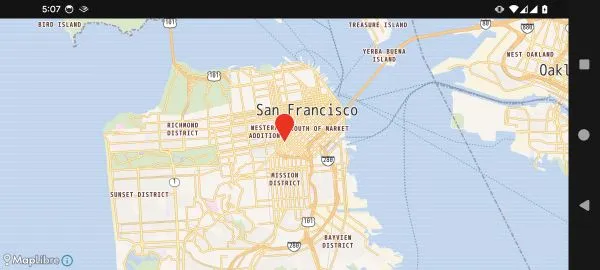
MarkerState personalizado
val customMarkerState = MarkerState(    position = GeoPoint.fromLatLong(37.7749, -122.4194),    icon = ColorDefaultIcon(        fillColor = Color.Blue,        label = "SF",        scale = 1.2f    ),    clickable = true,    draggable = true,    extra = "Marcador de San Francisco arrastrable",    onClick = { markerState ->        println("Marcador pulsado: ${markerState.extra}")        markerState.animate(MarkerAnimation.Bounce)    },    onDrag = { markerState ->        println("Marcador arrastrado a: ${markerState.position}")    })
MapView(    state = mapViewState) {    Marker(customMarkerState)}
Salida del log
Marcador arrastrado a: GeoPoint(latitude=37.781026576871554, longitude=-122.41839353250903, altitude=0.0)Marcador arrastrado a: GeoPoint(latitude=37.78035405874677, longitude=-122.41897685009974, altitude=0.0)...Marcador pulsado: Marcador de San Francisco arrastrableActualizar MarkerState de forma dinámica
@Composablefun DynamicMarkerExample() {    val colors = listOf(        Color.Red,        Color.Blue,        Color.Yellow,        Color.Green,        Color.Cyan,        Color.Magenta,        Color.White,    )    var markerState by remember {        mutableStateOf(            MarkerState(                position = GeoPoint.fromLatLong(37.7749, -122.4194),                icon = ColorDefaultIcon(fillColor = Color.Red, label = "0"),                extra = "Contador: 0"            )        )    }
    var counter by remember { mutableStateOf(0) }
    Column {        Button(            onClick = {                counter++                markerState = markerState.copy(                    icon = ColorDefaultIcon(                        fillColor = colors[counter % colors.size],                        label = counter.toString()                    ),                    extra = "Contador: $counter"                )            }        ) {            Text("Actualizar marcador ($counter)")        }
        MapView(state = mapViewState) {            Marker(markerState)        }    }}
MarkerState con animación de posición
@Composablefun AnimatedMarkerExample() {    val startPosition = GeoPoint.fromLatLong(37.775111, -122.419206)    val endPosition = GeoPoint.fromLatLong(37.780522, -122.412522)
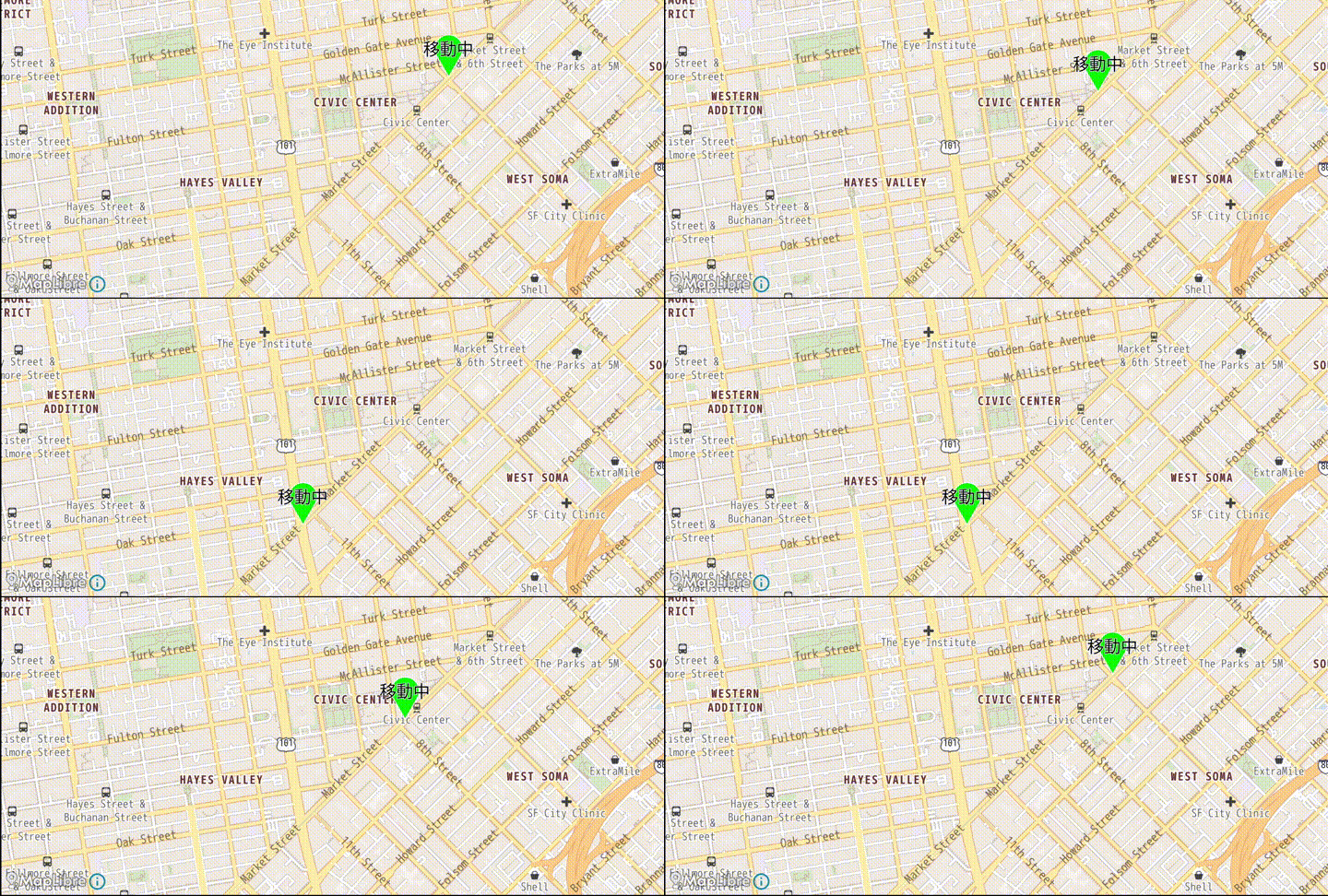
    var markerState by remember {        mutableStateOf(            MarkerState(                position = startPosition,                icon = ColorDefaultIcon(fillColor = Color.Green, label = "En movimiento"),                extra = "Marcador animado"            )        )    }
    LaunchedEffect(Unit) {        val path = (0 .. 10)            .map { it * 0.1 }            .map {                Spherical.sphericalInterpolate(                    from = startPosition,                    to = endPosition,                    fraction = it,                )            }
        var direction = 1;        var idx = 0        while (true) {            delay(1000)            for (i in 0..path.size - 2) {                idx += direction                markerState.position = path[idx]                println("$idx : ${GeoPoint.from(path[idx]).toUrlValue()}")                delay(50)            }            direction = direction * -1        }    }    val mapViewState =        rememberMapLibreMapViewState(            cameraPosition = MapCameraPosition(                position = GeoPoint.fromLatLong(37.7791, -122.4144),                zoom = 15.0,            ),            mapDesign = MapLibreDesign.OsmBrightEn,        )
    MapView(state = mapViewState) {        Marker(markerState)    }}